
Home Office Moving Services for Remote Workers Upgrading or Relocating Their Workspace
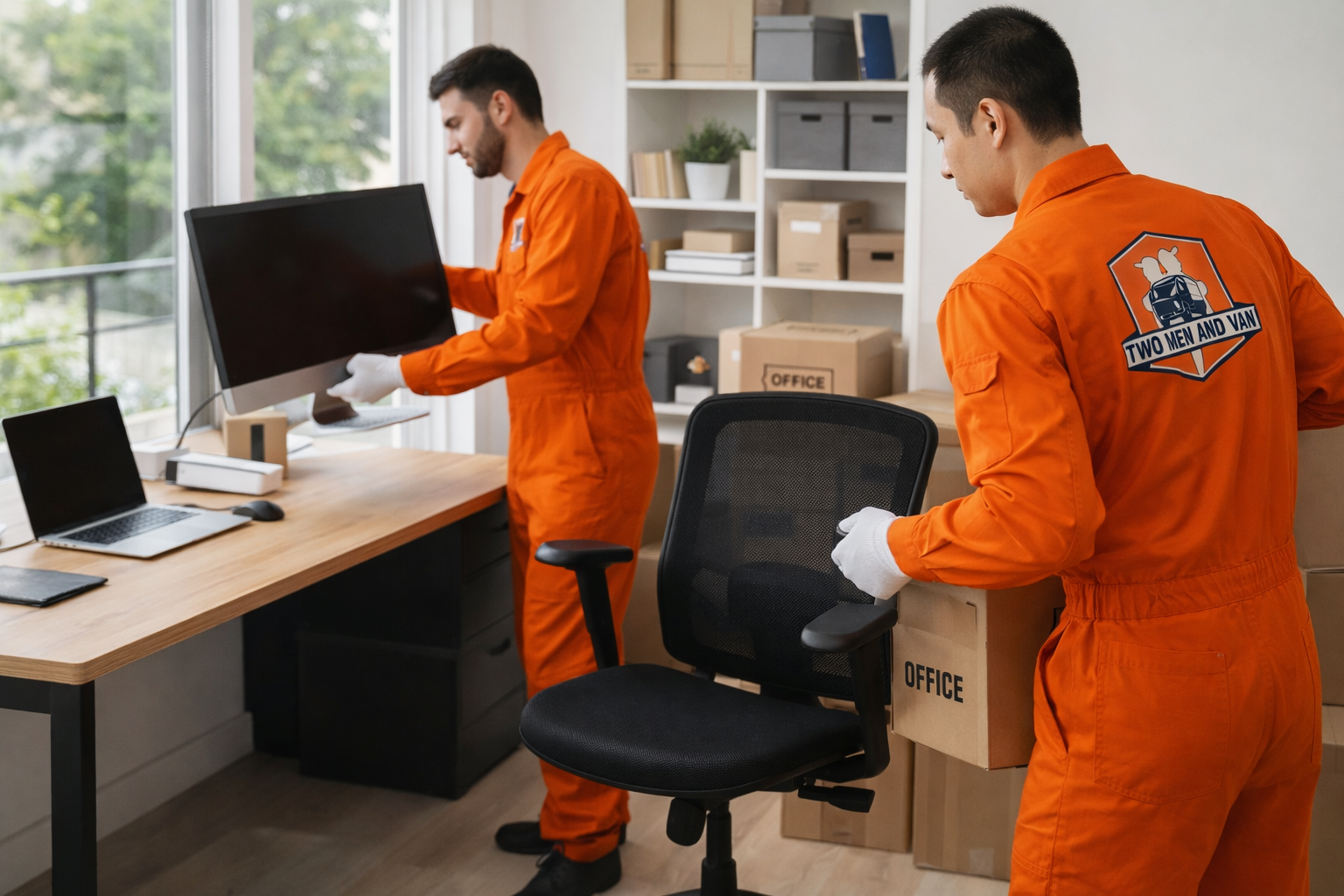
Professional home office moving services help remote workers relocate desks, monitors, computers, cables, and workspace equipment without unnecessary downtime. The biggest advantage is keeping your setup organized, protected, and ready to get back online faster, especially when missed work time can cost more than the move itself.
Remote workspace moves are more complex than they look. A rushed setup can lead to damaged electronics, tangled cables, lost accessories, and delays that disrupt your entire workday. Two Men and Van helps remote workers move home office setups safely, efficiently, and with less stress.
Key Takeaways
- Home office moves involve more than furniture: Cables, monitors, routers, and accessories all affect how quickly you can resume work.
- Downtime is the real hidden cost: Delays can lead to missed deadlines, interrupted meetings, and lost productivity
- Electronics need organized handling: Proper packing, labeling, and setup reduce the risk of damage and confusion
- Professional movers help protect workflow: A structured move makes it easier to restart your workspace fast
- Low-disruption relocation: The service is built for remote workers who need a smoother transition
Maintaining Productivity During a Home Office Move Without Workflow Disruption
Home office moving services help remote workers stay productive by reducing setup delays, protecting work equipment, and creating a smoother transition from one workspace to the next. The goal is not just moving items out. The goal is keeping your workday intact.
For remote professionals, productivity depends on continuity. Your desk, monitor layout, internet connection, charging setup, and device access all support how you work every day. When even one part gets delayed or misplaced, the disruption spreads fast. That is why a home office move should be treated more like an operational transition than a basic household task.
A professional team helps you avoid the common slowdown that comes from mixed cables, damaged screens, poorly packed accessories, and incomplete setup at the new location. When the move is planned around workflow, the restart is faster and far less stressful.
Why Home Office Moves Require a Different Approach Than Standard Residential Moving
Home office moves require a different process because they involve sensitive electronics, workflow dependencies, and equipment layouts that affect daily business operations. A standard residential move may protect furniture, but it usually does not account for device safety, cable logic, or same-day workspace functionality.
A home office is part furniture move, part electronics move, and part operational reset. That combination changes everything. Monitors need proper handling. Towers and laptops need stable packing. Desk systems often need partial breakdown and smart reassembly. Even small items like docks, webcams, chargers, backup drives, and routers play a big role in how quickly you can get back to work.
That is why many remote workers looking for home office moving services near me are really looking for a team that understands more than lifting and loading. They need a move that protects work continuity, not just household belongings.
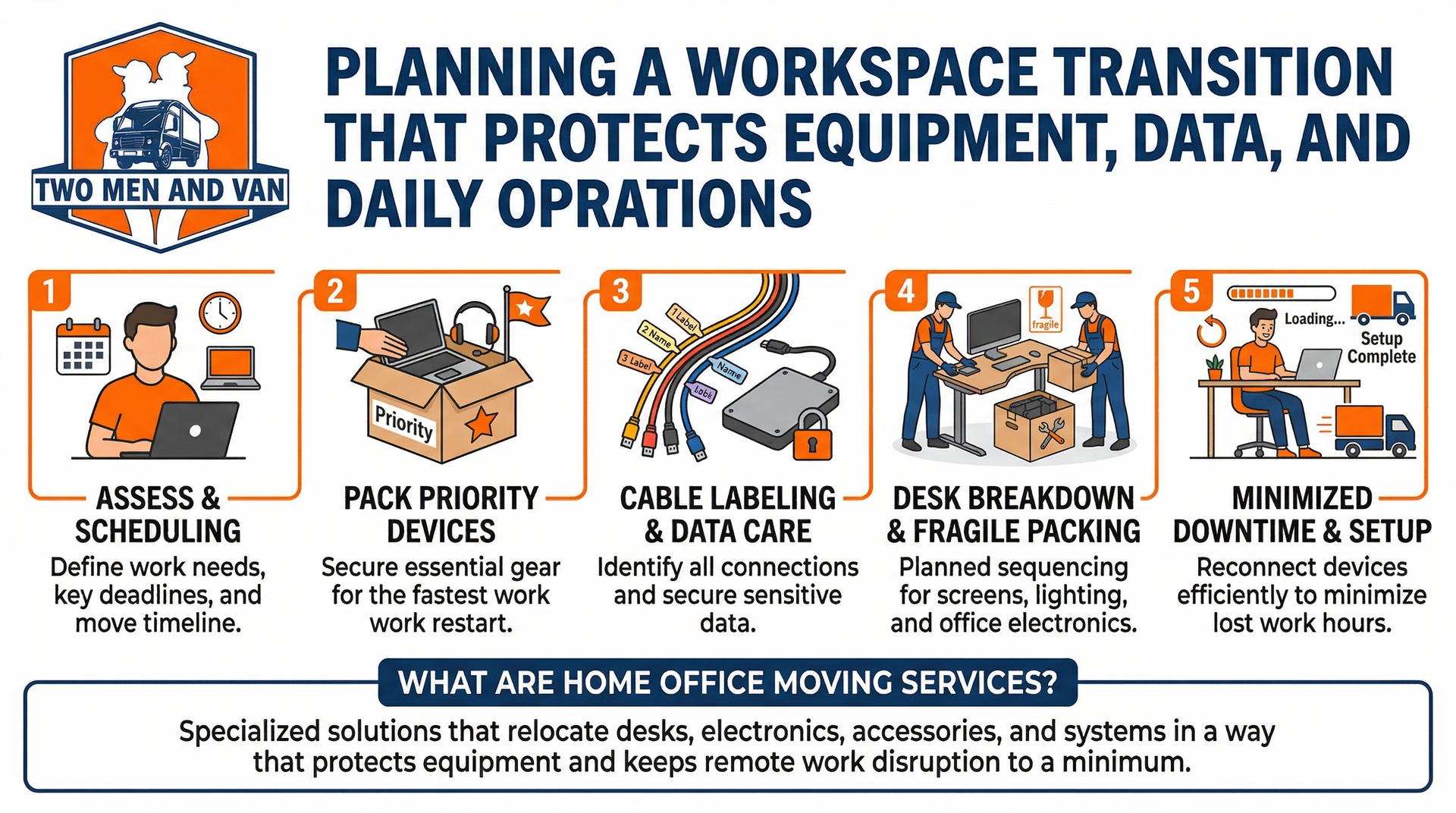
Planning a Workspace Transition That Protects Equipment, Data, and Daily Operations
A successful remote workspace relocation starts with a plan that protects your equipment, supports your daily workflow, and reduces downtime during the move. Planning should cover packing order, cable identification, equipment priority, furniture breakdown, transport timing, and setup needs at the new location.
When your workspace supports meetings, deadlines, client communication, design work, coding, finance, or admin tasks, the move affects more than convenience. It affects performance. That is why transition planning should focus on what you need first when work resumes, not just what gets packed first.
A smart plan also helps reduce the risk of lost accessories, device damage, and packing confusion. For fragile screens, lighting gear, or office electronics, professional fragile item packing can add another layer of protection during transport.
- Priority equipment: pack essential work devices for fastest restart
- Cable labeling: helps reconnect monitors, docks, routers, and chargers correctly
- Furniture sequencing: makes desk breakdown and reassembly more efficient
- Downtime control: reduces lost work hours during the transition
A definition fits here clearly. Home office moving services are specialized moving solutions that relocate desks, electronics, accessories, and workspace systems in a way that protects equipment and keeps remote work disruption to a minimum.
Handling Monitors, Desks, and Sensitive Equipment Without Performance Risk
Moving computer equipment safely requires careful handling, secure packing, and the right breakdown method for both electronics and furniture. Sensitive office items can be damaged by impact, pressure, loose packing, or rushed reassembly, even when they look fine on the outside.
Monitors are one of the biggest risk points in any home office move. A screen can suffer internal damage from poor support, not just visible cracks. Standing desks, meanwhile, often include motorized parts, cable routing, and hardware sets that should be disassembled correctly before transport. Printers, docks, desktop towers, microphones, and external drives all need specific protection based on shape and sensitivity.
If your setup includes multiple devices or specialized workstations, dedicated electronics and computer moving services help reduce performance risk and keep the move organized from start to finish. In some cases, related support such as office furniture disassembly also makes the transition safer and more efficient.
Cable Management, Connectivity, and Setup Continuity in a New Workspace
Cable management and connectivity planning are essential because a home office does not function properly until devices are reconnected in the right order and the workspace is fully usable. A messy cable situation turns a finished move into a delayed restart.
Cables are small, but the problems they cause are huge. Power cords, monitor cables, docking station connections, ethernet lines, webcams, headsets, and printer cables all need to be identified and packed in a way that matches the setup plan. Otherwise, you waste time tracing connections, troubleshooting hardware, and rebuilding your workspace from memory.
That is one reason professional computer workstation setup is so valuable after a move. It helps restore the structure of your workspace, not just the location of your items. For people who rely on video calls, dual monitors, or a fixed daily workflow, setup continuity matters just as much as safe transport.
Upgrading or Reconfiguring Your Home Office Layout During the Move
A move is one of the best times to improve your home office layout because everything is already being evaluated, packed, and repositioned. Instead of rebuilding the same inefficiencies, you can use the transition to create a workspace that works better.
Many remote workers realize during a move that their old setup had problems they simply tolerated. Maybe the desk placement caused glare. Maybe the layout wasted space. Maybe the storage setup slowed down daily tasks. A relocation creates a clean opportunity to fix those issues while the office is already in motion.
This is especially useful in smaller homes, apartments, and shared living spaces where every square foot matters. Thoughtful layout changes inspired by small space home office setup ideas can improve comfort, access, and productivity. Additional inspiration from new office setup and professional assembly planning can also help when upgrading your workspace during the move.
Managing Tight Schedules and Same Day Workspace Setup for Remote Professionals
Remote professionals often need same day workspace setup because even one lost workday can create missed calls, delayed deliverables, and preventable stress. A professional moving plan keeps the schedule tight, organized, and realistic from breakdown to restart.
Time pressure changes the moving strategy. If you work from home full time, the move has to be sequenced around your next meeting, next deadline, or next client deliverable. That means the team must know which devices get packed last, which items get installed first, and how to reduce the lag between arrival and usable setup.
For some moves, related support like white glove delivery services or office furniture installation may also be relevant when new furniture, replacement equipment, or upgraded storage systems are part of the project.
Fast does not mean sloppy. In a good move, speed comes from planning, not panic.

Common Transition Failures That Lead to Downtime and Lost Productivity
Most home office moving failures come from poor planning, weak packing, disorganized setup, and underestimating how many small systems support daily work. These mistakes cause more downtime than the actual move itself.
A common failure is treating the home office like a regular bedroom or storage area. That mindset leads to mixed boxes, loose accessories, unlabeled cables, and furniture parts packed with unrelated household items. Another issue is assuming equipment is safe just because it survived the drive. Screens, ports, and desk components can still be compromised when handling is careless.
Consumers should also understand their protection options during a move. Information from the Federal Motor Carrier Safety Administration on liability protection and the Surface Transportation Board guidance for lost or damaged household goods is helpful for understanding how moving claims and responsibilities can work.
- Mixed accessories: slows setup and creates troubleshooting headaches
- Unlabeled cables: delays reconnection and can cause incorrect device pairing
- Weak packing methods: increases risk to screens, towers, and peripherals
- No restart plan: turns a completed move into an unfinished workspace
The Value of Professional Home Office Moving Services for Remote Work Environments
Professional home office moving services create value by protecting work tools, reducing downtime, and helping remote workers return to full productivity faster. That value is practical, measurable, and often far greater than the cost of fixing a disorganized move.
For remote workers, your workspace is a functional business environment. If the desk fails, the monitor gets damaged, or the internet setup takes hours to restore, the move starts affecting income, performance, and reliability. That is why professional office moving services are not just about convenience. They are about protecting how work gets done.
An experienced team also brings process. They know how to move office equipment safely, how to break down desks correctly, and how to restore a workspace with less friction. Broader planning ideas around flexible workspace installation strategies can be useful too, especially when the new office setup includes changing how the space functions. If the move also includes decluttering old equipment, paperwork, or unused furniture, office cleanout services can help streamline the transition.
You can also explore the full range of available moving and setup services when your home office move connects to a larger residential or professional relocation project.
Relocate and Set Up Your Workspace Without Interrupting Your Workday
Two Men and Van helps remote workers relocate home offices with less downtime, better organization, and safer equipment handling across Maryland, Washington DC, Delaware, Pennsylvania, and Northern Virginia. Whether you are moving a compact workstation in Bethesda, reconfiguring a dual-monitor setup in Arlington, or relocating a full remote workspace in Baltimore, our team can help you move smarter and get back to work faster. Contact us through our service request page to schedule professional home office moving services.
If your move also includes add-on projects, it may help to coordinate related tasks at the same time. Some clients pair their workspace move with TV mounting and setup, cleanup services such as specialized disposal and recycling, or broader home project planning that involves details like basketball hoop installation permits. Bundling related work can reduce disruption and make the overall transition more efficient.
Frequently Asked Questions About Home Office Moving Services
How do I move a home office setup without losing productivity?
The best way is to plan the move around workflow, not just furniture. That means prioritizing essential devices, labeling cables, protecting electronics properly, and making sure the new setup is ready to use as quickly as possible.
Can movers handle computer monitors and office electronics safely?
Yes, professional movers can handle office electronics safely when they use proper packing methods and organized setup procedures. Monitors, towers, printers, and accessories should be packed and transported based on sensitivity, not just size.
Should I disconnect and label all my home office cables before the move?
Yes, cable labeling makes setup faster and prevents confusion at the new location. It is one of the easiest ways to reduce downtime after the move because it helps reconnect devices correctly the first time.
Is it worth hiring professionals to move a small home office?
Yes, even a small workspace can involve expensive equipment, fragile screens, and setup dependencies that are easy to disrupt. Professional help is often worth it when your work depends on speed, organization, and equipment protection.
Can a home office be moved and set up on the same day?
Yes, many home office moves can be completed with same day setup if the move is planned properly. The timeline depends on the size of the workspace, the amount of furniture, access conditions, and how much equipment needs to be reconnected.
What is usually forgotten during a home office move?
Cables, chargers, adapters, docks, surge protectors, router placement, and small accessories are often overlooked. Those details seem minor until they delay the full restart of your workspace.
Should I upgrade my office layout during the move or wait until later?
A move is usually the best time to upgrade the layout because the workspace is already being broken down and rebuilt. It is easier to improve desk placement, storage, and cable flow during the transition than after everything is already back in place.
Related Topics
- White Glove Delivery for Furniture and High-Value Items: What to Expect
- How Setup and Placement Services Save Time and Prevent Damage During Your Move
- Piano and Specialty Item Moving: Why You Need Experts for the Job
- The Ultimate Guide to Packing Fragile Items for a Safe and Damage-Free Move
Connect With Us
Stay connected with us for moving tips, customer stories, special promotions, and behind-the-scenes content. Follow Two Men and Van on social media to get helpful advice and updates on our services across Maryland, DC, Northern Virginia, Pennsylvania, and Delaware.
- Facebook - Join our community for moving tips and seasonal offers
- Instagram - See real moves, packing hacks, and customer testimonials
- Instagram Washington - Follow our Washington area team for local moving insights
Get inspired, ask questions, and see why thousands of customers trust Two Men and Van for their interstate and local moves.